Are you looking for an Applicant Tracking System? There are a lot of options out there. So how do you know which one is right for you? What should you be looking for when researching different ATS providers?
The applicant tracking system (ATS) is the lifeblood of the modern staffing firm, so it’s important to choose wisely.
And that’s why we’re here. To ease this burden, we’ve created a thorough guide to choose the Applicant Tracking System that suits your hiring needs!
What you’ll learn in this guide:
Let’s get started:

Do you use Excel or other spreadsheets for your hiring needs? It’s time to ditch the spreadsheets. Excel and other spreadsheet solutions are certainly useful, but they just aren’t built with the needs of a staffing business in mind. As a result, you’ll often lose time and potential business in the long run, plus you’ll lack the ability to scale as your business continues to grow.
An applicant tracking system (ATS) automates an organization’s recruiting and staffing operations and provides a central repository for candidate data—including CVs and applications. An ATS is built to help you better manage every stage in the recruiting process, from application to hire, while delivering greater overall efficiency.
A modern ATS or candidate management software does all the repetitive tasks from job advertising and career site to candidate screening and interview management.
Who uses applicant tracking systems?
Typically, the applicant tracking software is managed by the human resources department or a hiring manager.
You have an understanding of what an ATS does, but is it worth the investment?
Recommended Read: The Ultimate Applicant Tracking Systems Guide for 2022
An ATS is more essential than ever to manage the candidate-driven staffing landscape. It will refine your workflow to be efficient during each stage of the candidate lifecycle and reduce your recruiters’ efforts for each step.
An ATS makes it easier to source and find candidates, eliminates time-consuming and repetitive manual activities, improves the candidate experience, and enables your recruiters to make better decisions, and allocates more time to the tasks that matter most.
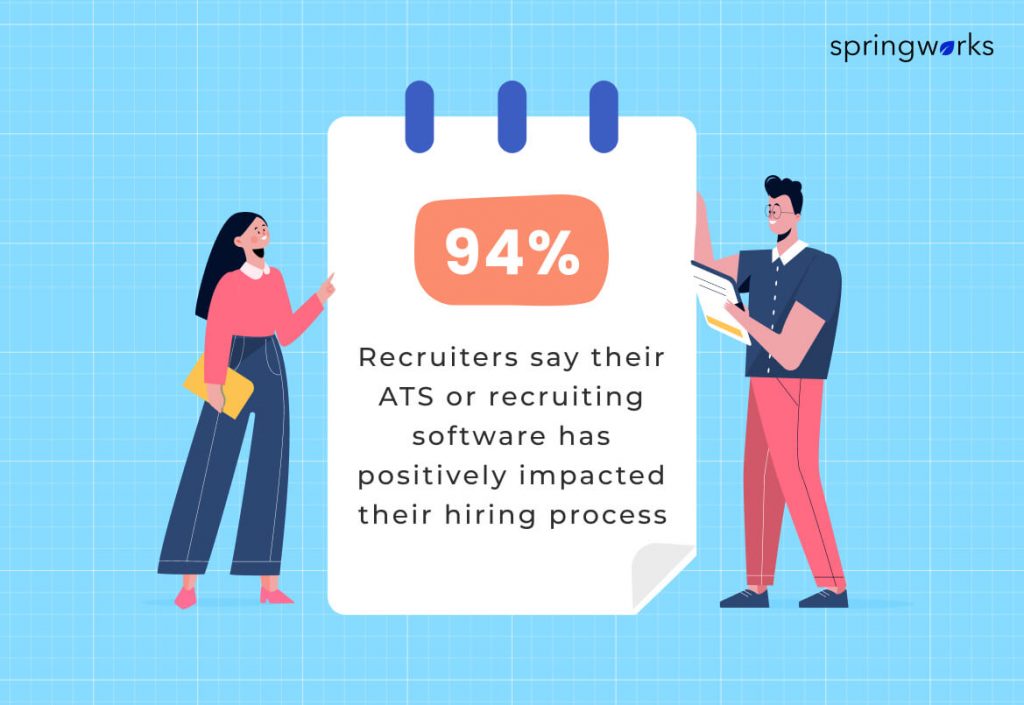
94% of recruiters and hiring professionals say their ATS or free recruiting software has positively impacted their hiring process. (Source)
86% of recruiting professionals stated that using an Applicant Tracking System (ATS) has helped them hire faster. And 78% of them confirmed that it had improved the quality of candidates they hire, too. (Source)
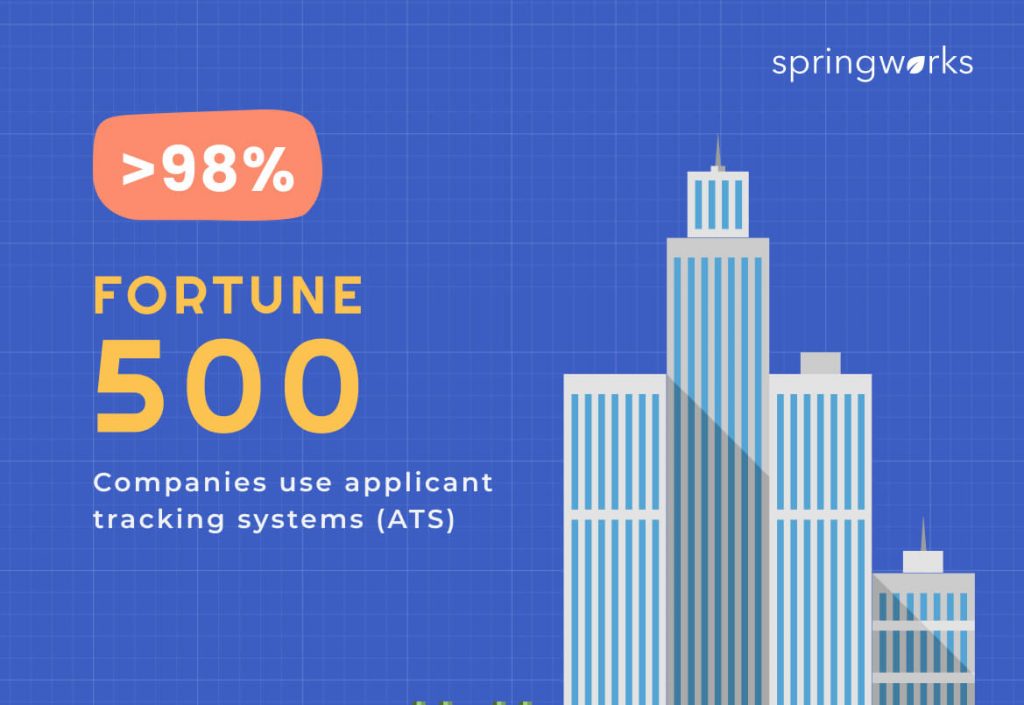
Over 98% of Fortune 500 companies use applicant tracking systems (ATS). (Source)
A small company can save up to $10,000 using an ATS. (Source)

Today, firms of all sizes are investing in applicant tracking systems to not only better manage their candidate database but their end-to-end recruiter workflows as well.
Here are some quick benefits of using an ATS:
Whether you’re buying for your first ATS or looking for a more powerful online applicant tracking system, the search for any new technology always starts with a big question: What are your recruiting challenges and needs?
To get you started, here is a list of most recruiting pain points:
Identifying your pain points is an important first step in the ATS selection process. Here’s a quick checklist to determine your specific needs:
Step 1: Review your recruiting process
Step 2: Determine what you’re lacking currently
Step 3: Create an ATS wishlist
Step 4: Who you want to access the ATS
Step 5: Calculate your budget
Recommended Read: 10 Modern HR Software Solutions for Your Business in 2021
We recommend keeping the following points in mind during your evaluation process:
The average staffing professional spends less than half of their time actually working with candidates and generating revenue. Most of their day is instead taken up by manual administrative tasks.
The best applicant tracking systems will automatically capture all of your firm’s hiring and recruiting activities. This frees up time for other responsibilities like sourcing candidates and nurturing relationships.
For the most famous example, think of a Fitbit. It automatically captures all of your activity while you go about your day without requiring you to enter anything. And uses that data to deliver insights so you can reach your health fitness goals.
It works the same way with an ATS. Your firm’s recruiting activity, including candidates communication, gets logged automatically, so you can better understand your business without spending valuable time manually entering your data.
You can manage your contacts through email or a spreadsheet, but those solutions serve exclusively as data repositories. An ATS with predictive intelligence takes a forward-looking approach to your candidates.
Predictive intelligence will identify problems for your recruiters before they escalate so you can avoid being blindsided by an unhappy candidate. This helps you to make smart decisions with your time, like prioritizing accounts that most need your attention and reaching out to candidates ripe for redeployment.
Recruiters aren’t the only ones on their phones. Candidates increasingly prefer to be contacted by text message. Look for an ATS with options for Short Messaging Service (SMS) to send texts to candidates directly from your ATS.
Your customer records contain large volumes of data that pertain to you, your candidates, and your clients. If your databases are compromised, your firm’s reputation can suffer. Look for an ATS provider with an exceptional security reputation. The provider should demonstrate a sustained effort to ensure security by using encryption for data transfers and limiting the amount of personal information that can be collected.
The best applicant tracking systems are built with a staffing firm’s needs in mind, but no solution can be perfectly tailored to your business’ specific needs. And your needs will likely evolve as your business grows.
Look for an ATS that can grow with you and adapt to fit your needs, whatever they may be. Choose an ATS that supports open application programming interfaces (APIs), so you can customize it to best suit your workflow.
Here are three important integrations to consider.
Email: Are you using Gmail or Outlook? And do you use your email for everything? If so, look for an ATS that integrates with these leading email providers.
With email integration, you can view your email inbox directly within your ATS. You should also be able to easily parse in resumes, add notes, and create new tasks and appointments from customer emails.
Job Boards: With job board integrations, you can make postings, search for candidates, add candidates directly, and track metrics—all from your ATS. It saves you time and simplifies what would otherwise be a timely process.
LinkedIn: Look for an ATS with seamless LinkedIn integration so you can streamline your recruiters’ workflow, reduce clicks, and provide a continuously up-to-date view of candidate information in LinkedIn. It’ll save time that would have been spent shuffling from window to window or adding candidates that were already in your database.
It can be hard for companies to get basic information on how their hiring is going. An ATS should offer built-in reports that give everyone a front-row seat on the hiring process. At a basic level, that means providing a complete picture of all the candidates who have been considered for a position, including outcomes from phone-screens, interviews, take-home tests, and rejections or offers that have already taken place, along with a run-down of hiring activities scheduled in the future.
Investing in an ATS is a big decision. Make sure you do all of your homework before selecting a provider.
Ask how many clients use their products and determine what type of reputation they have for supporting their product. A good ATS provider will understand your business and show you how their solution will address your specific needs and challenges.
Here’s an ATS research checklist to keep you focused:
It’s crucial to ask the right questions before buying the best applicant tracking software. To get you started, here are a few questions to ask potential providers when considering an ATS.
1. How many active clients are using your ATS platform?
2. What market size is best suited for companies using your platform, based on company revenue and number of users?
3. Identify three of your top competitors
4. Can you provide case studies of successful customers?
5. Does your ATS work on mobile devices?
6. Is it possible to customize the ATS solutions? Please describe
7. How do you differentiate your product from competitors?
8. What are the core product functionalities of your ATS?
9. Does your ATS come with a defined workflow?
10. Does your ATS leverage predictive intelligence?
11. Can I view email activity within the ATS?
12. Does your ATS automatically track email communications?
13. Do you offer a free trial?
14. Are all of your ATS features available in a free trial?
15. Do I need a credit card to sign up for a free trial?
16. What job boards can be integrated with your ATS?
17. What third-party time and expense tools can be integrated with your ATS?
18. What popular email applications can be integrated with your ATS?
19. What third-party onboarding tools can be integrated into your ATS?
20. What background screening tools or partners can be integrated with your ATS?
21. How does your social media functionality work?
22. Can data be exported into common formats for analysis using other HR tools or systems?
23. Are these reports customizable?
24. What reporting is shown in recruiter or management dashboard views?
25. What key metrics does your ATS track automatically?
26. How long does it take to get recruiters up-to-speed?
27. Do you offer training for new users?
28. Are there ongoing resources for using and learning about the ATS?
29. How often do you build new features/functionality?
30. How often do you release system updates?
31. Has your ATS won any awards or commendations?
32. Does your ATS have any unique features that other systems don’t?
33. Is your user interface intuitive?
34. Is it possible to customize fields and workflows?
35. Are follow-up contacts, emails, and notes recorded and searchable?
36. Does the system operate in real-time?
37. What security precautions do you take?
38. Do I maintain full ownership of my data?
39. Is your ATS cloud-based or on-premise?
40. How long is the data kept?
41. What is your data retention policy?
42. Do you provide live or on-demand training support?
43. Is the customer support 24-7?
44. How can I contact you if I have a problem?
45. Do you have a free knowledge base or resource?
46. Do your plans offer unlimited team members options?
47. How many active job openings can I have?
48. What types of pricing plans (pay per user/pay per position/free-forever) do you offer?
Congratulations!
After all these steps, you probably choose an ATS provider which offers the best combination of your preferred features and budget.
Most importantly, an ATS should be simple and easy to use. If the platform is difficult to use, you are wasting time and resources.
Ask these two questions to yourself:
If so, congrats – You’re now the proud owner of a powerful new recruiting tool. Go forth and hire!
We’ve put together a list of all the features you need to source great candidates, run an effective hiring process, pull meaningful reports, and more. This checklist will come in handy when you evaluate your ATS providers:
| Features | SpringRecruit | Add ATS 1 | Add ATS 2 |
| Career page integration | ✓ | ||
| Multiple job boards integration | ✓ | ||
| Web/mobile apply | ✓ | ||
| Employee referral portal | ✓ | ||
| Job ad creation and distribution | ✓ | ||
| Resume parsing | ✓ | ||
| Social media integration | ✓ | ||
| Bulk resume import | ✓ | ||
| Automated resume screening | ✓ | ||
| Automated interview scheduling | ✓ | ||
| Interview reminders | ✓ | ||
| Interview kits | ✓ | ||
| Interviewer tags | ✓ | ||
| Create notes | ✓ | ||
| Assign tasks | ✓ | ||
| Add comments | ✓ | ||
| Talent pool management | ✓ | ||
| Candidate profile | ✓ | ||
| Auto-merge duplicate profiles | ✓ | ||
| Bulk email sending | ✓ | ||
| Applicant progress dashboards | ✓ | ||
| Email templates | ✓ | ||
| Offer creation and management | ✓ | ||
| Track recruiting metrics | ✓ | ||
| Customized reports | ✓ | ||
| Export reports | ✓ | ||
| Team performance management | ✓ | ||
| Important analytics | ✓ |
Here’s a quick checklist:
This process will help you to choose an ATS that helps your business succeed. Good luck!
Finding the best Applicant Tracking System for your business is now faster and easier! Compare prices, reviews, features, and get a free consultation to find the perfect software.
Here are some prominent advantages of applicant tracking systems:
– Enhance candidate experience
– Hire faster
– Lower cost per hire
– Improve employer branding
– Effective candidate sourcing
This refers to the ATS’s ability to extract important information from candidates’ resumes. For example, one applicant may list their skills at the end of their resume, while another may integrate their skills into their experience section. Resume parsing allows ATS to detect these skills no matter where they are on the resume, ensuring all candidates are evaluated the same way.
Hire the right candidates. Springworks is free-forever ATS! Sign up and start recruiting today